
🚀 ADVANCED DIGITAL NOMAD INFRASTRUCTURE

Work From Anywhere. Keep Your Home IP.

Professional remote work infrastructure for digital nomads. Residential IP VPN with GL.iNet travel router + IP KVM remote access setup. Maintain seamless access to banking, work tools & local services from anywhere on Earth.

Countries Tested & Verified
0 +
Ultra-Low KVM Latency
1- 0 ms
Zero Logs & Hardware Security
0 %

The Nomad Problem

Three critical issues kill productivity for remote workers abroad. We solve all of them with dedicated hardware engineering.

Location Lockout

Banking apps, corporate portals, and streaming services detect foreign IP addresses and deny access. Your daily work stops completely.

Hardware Separation

Software remote desktop tools feel slow, crash often, and fail when host OS reboots. You need direct, hardware-level desktop control.

Security & Privacy Risks

Public hotel & cafe WiFi compromises sensitive logins. Commercial VPNs leak DNS and log traffic. You need private infrastructure under your control.

Residential IP VPN Solution

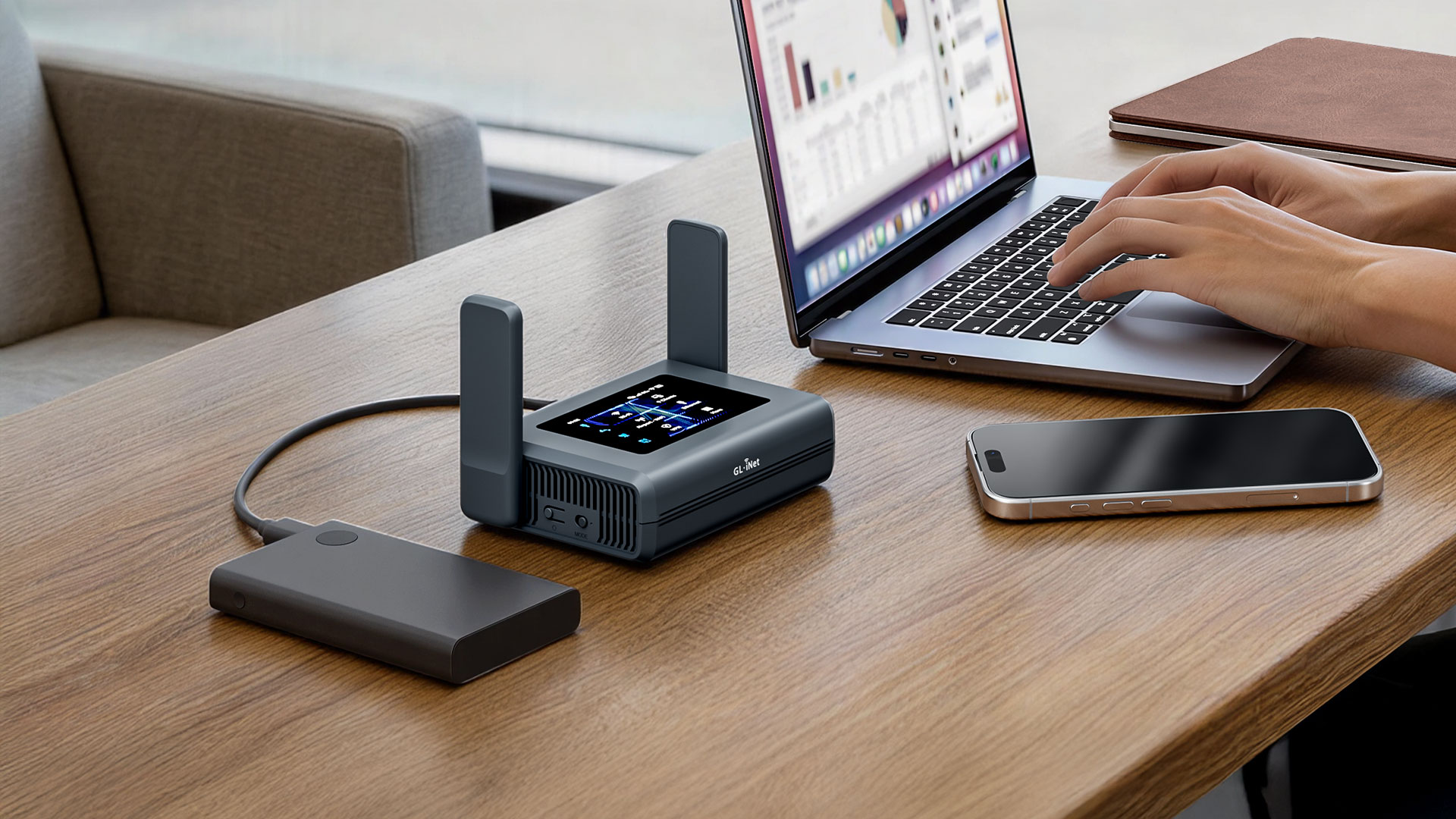
Appear to work from your home location instantly. Your traffic routes through your physical home IP address, not a third-party data center.

What You Get & Why It Matters

Location-based blocking isn’t a minor inconvenience—it’s a blocker for your entire work operation. Banking apps won’t open from abroad. Accounting software rejects logins. Commercial VPNs are easily flagged. With our residential IP VPN setup, you bypass all blocks while maintaining legitimate access to every service.

GL.iNet Travel Router Setup for Residential IP VPN

IP KVM Remote Access Solution

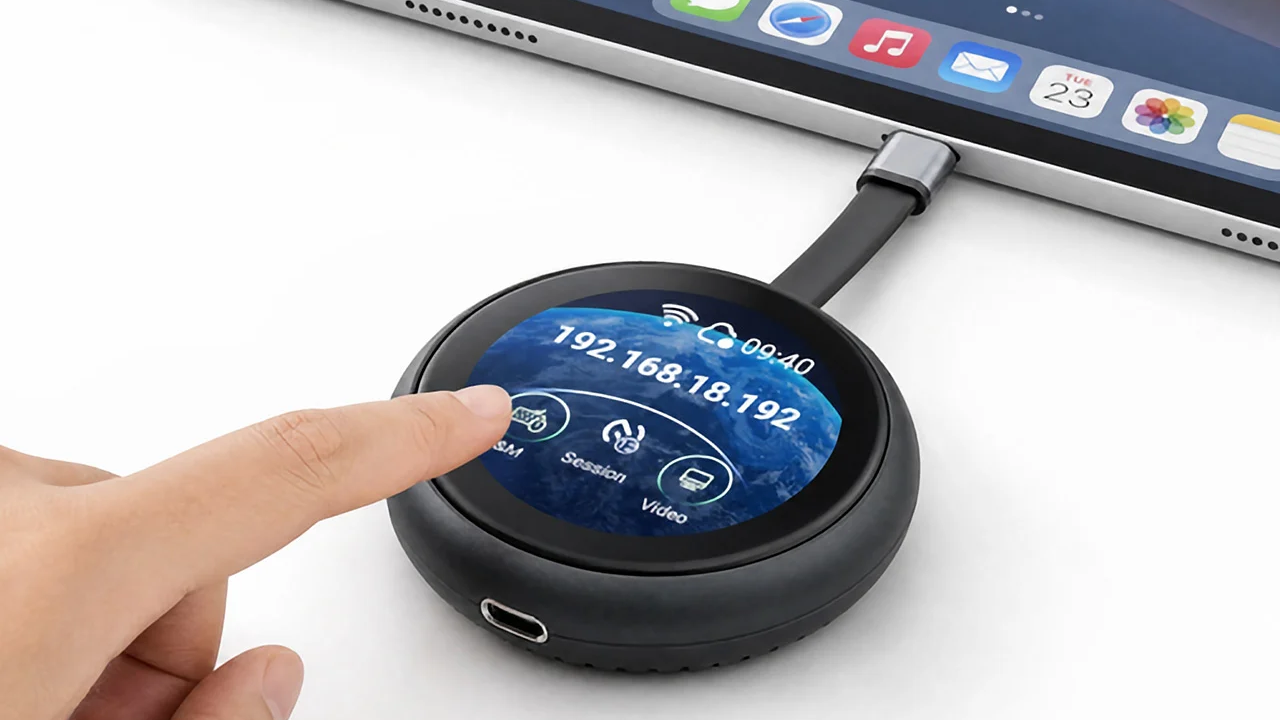
Hardware-level access to your home or office computer from anywhere in the world. Control your machine as if sitting right at your desk.

IP KVM Remote Access Setup

True Hardware-Level Desktop Control

Software remote desktop apps are laggy and unreliable. IP KVM is enterprise-grade hardware. Your home workstation stays powered and accessible 24/7. You can access the BIOS, perform cold reboots, run heavy video editing software, compile code, and manage files with zero lag.

Why Professional Engineering Matters

These setups demand expertise. Configuration details matter. Support matters. We handle every detail.

Expert Configuration

Tailored to your specific workflow, ISP, router hardware, and devices. No generic templates.

Ongoing Optimization

Infrastructure monitoring and failover routing so your tunnel stays connected even if home IP shifts.

Security First

Military-grade encryption, strict firewall rules, and zero logging. Your privacy is non-negotiable.

Global Field Tested

Tested and verified across 50+ countries including Japan, Indonesia, Europe, and South America.

Priority Nomad Support

Direct access to your infrastructure consultant. Swift resolution when you're traveling.

Performance Monitoring

Real-time visibility into latency, jitter, and throughput to spot bottlenecks early.

VPN vs IP KVM: Find Your Solution

Or combine both for complete remote work infrastructure.

Residential IP VPN

IP KVM Remote Access

What Remote Workers Say

Real professionals using this infrastructure to work reliably from anywhere.

"No more location blocks. My banking app works from Thailand exactly like it does from Austin. This is what remote work should feel like."

Access Home IP & Home Computer While Travelling Abroad
Lena S.
Financial Advisor
"The KVM latency is incredible. Editing video files on my home machine from Bali feels like I'm in the office. No lag, no delays."
Access Home IP & Home Computer While Travelling Abroad
Marcus C.
Video Producer
"Combined both services. VPN keeps my location consistent, KVM gives me full control of my home machine. Enterprise-grade infrastructure!"
Access Home IP & Home Computer While Travelling Abroad
Ravi P.
Startup Founder

Frequently Asked Questions

Commercial VPN server IP addresses are publicly cataloged in datacenter databases. Financial institutions, remote employment platforms, and security tools flag and block these IPs. A residential IP VPN routes your internet traffic through your physical home ISP router, making your location appear 100% authentic.

For IP KVM, yes, your desktop or workstation remains powered at home (or can be booted remotely via Wake-on-LAN / Smart Plug). For Residential IP VPN, only your lightweight home router / GL.iNet server device needs to be running.

Yes. We configure modern WireGuard with obfuscation and custom port encapsulation options to ensure uninterrupted performance even across restrictive hotel, airport, or international firewall networks.

Setup typically takes between 1 to 3 hours over a guided remote session. We configure the hardware, verify encryption tunnels, test routing, and ensure your mobile/laptop devices connect seamlessly.

Ready to Own Your Remote Infrastructure?

Choose your solution. Get expert setup. Work from anywhere with complete reliability.